BRIO World - Railway
Filimundus ABEducational
4.4113.00 Reviews
- Version
- 5.4.7
- Installs
- 100.00K
- Age Rating
- Everyone
Screenshots
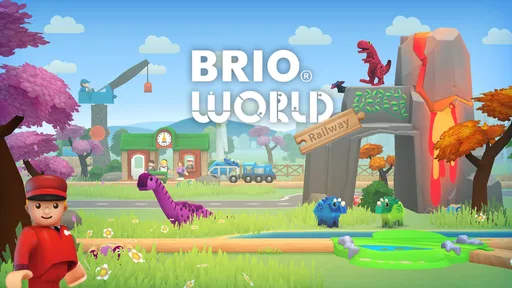
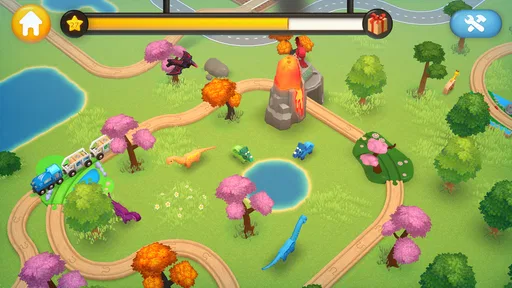
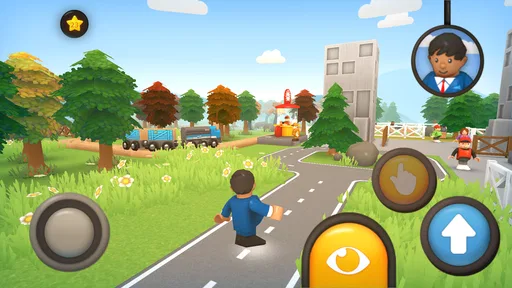
Our Review of BRIO World - Railway
 Analysis by Appyee
I judge a railway game by how quickly I can get from opening it to making a small world of my own. BRIO World - Railway has an appealing, hands-on idea: arrange a railway, then watch the pieces become a place for trains to travel through. It suits the quiet, imaginative side of play better than the quick-fire pace of many mobile games. I’d consider it for a child who likes trains and building, or for an adult who wants a gentle creative distraction, but I wouldn’t choose it for someone looking for constant action or a deep management simulation.
What to expect from the pace
The fun here is in deciding what to make, not in rushing through a sequence of fast rounds. A short session can be as simple as placing a few track pieces and seeing how the layout feels; a longer one can involve changing the arrangement until it becomes more satisfying. That makes the game easy to approach when you have a little time, though players who need frequent new goals may find open-ended building less compelling.
I’d also set expectations carefully for children: the appeal is imaginative construction, not a promise that every session will deliver a fresh challenge. It works best when the player enjoys making choices for their own sake. If a child prefers clear instructions and a defined finish line, a puzzle game with explicit levels may be a better fit.
A good fit for shared play
One practical way to use a railway builder is as a low-pressure activity alongside a parent or sibling. Rather than taking over the layout, an adult can ask the child to choose where a route should go, or suggest a destination and let them work out how to connect it. That turns the screen into a prompt for conversation about direction, shape, and planning without making the experience feel like a lesson.
For example, on a rainy afternoon, I’d treat it as a short creative activity: build a simple route, pause to look at what works, and let the child decide what to change next. Keeping the goal small helps avoid the common trap of spending the whole session rearranging pieces without feeling satisfied. It also makes the game easier to put down when it is time to move on.
Getting Started with Your Adventure
First things first, downloading BRIO World - Railway is a breeze. Available on both Android and iOS, the app is designed to be intuitive, making it perfect for both kids and adults who are young at heart. Once installed, you’re greeted with a colorful and inviting interface that instantly takes you back to those childhood playtimes.
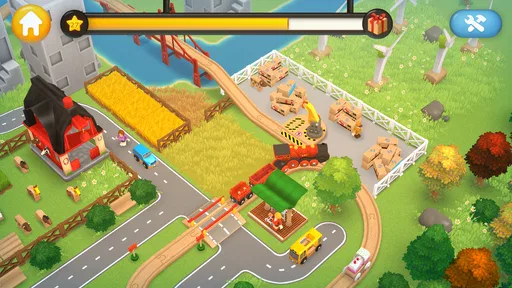
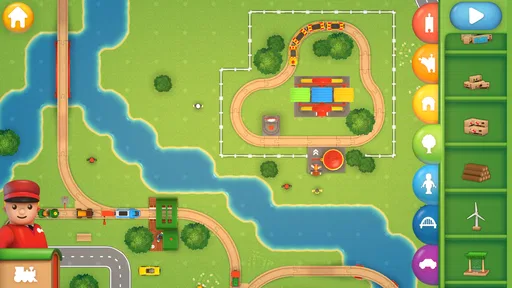
The app offers a tutorial that’s as smooth as a freshly laid track, guiding you through the basics of building your railway world. You can start constructing your own unique tracks, adding stations, tunnels, and bridges. What’s cool is the freedom to create whatever your imagination conjures up. Remember those endless possibilities with the wooden sets? Well, this app captures that essence perfectly.
Building and Expanding Your World
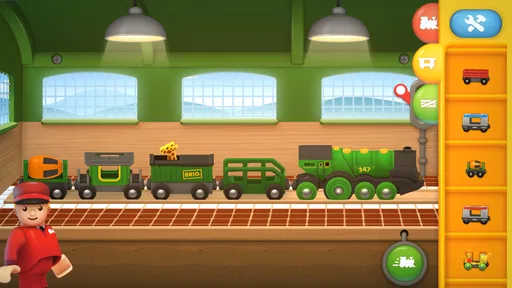
One of the standout features of the app is the vast array of pieces you can use. From classic train cars to modern high-speed trains, there’s a wide selection to build your railway empire. The drag-and-drop mechanic is user-friendly, making it easy to switch up designs or expand your tracks.
My most useful building habit would be to start with a route that has a clear purpose, then add decoration and extra branches only after the basic path feels right. It is easier to see whether a layout makes sense when you are not trying to solve several design decisions at once. I’d also make changes one at a time: if a route stops feeling coherent, that makes it simpler to identify which adjustment caused the problem.
This kind of deliberate tinkering is a quiet strength, but it is also a trade-off. Players who want a precise engineering sandbox with detailed controls may want more complexity than a family-oriented railway builder is designed to provide. Here, the pleasure is more about arranging and revising than mastering a technical system.
The graphics are vibrant and charming, staying true to the original BRIO aesthetic. Each piece is lovingly rendered, and the animations are smooth, ensuring that your trains chug along without a hitch. The sound effects add an extra layer of immersion, with the choo-choo of the trains and the clink of the tracks making you feel like a true railway tycoon.
How it compares with other play options
Compared with a physical wooden train set, a digital railway is tidier and easier to reshape: there are no pieces to gather up or floor space to reclaim. The compromise is tactile play. A screen cannot replace the feel of connecting track by hand, and a child who enjoys carrying trains around or building a large layout across a room may get more from the real toys.
Compared with a conventional educational puzzle game, this one puts more emphasis on making a scene than reaching a single correct answer. That is a plus for children who like inventing their own arrangements, but a less obvious fit for someone who wants a steady progression of clearly defined tasks. I’d choose it for open-ended railway play, not as a substitute for every kind of learning game.
Interactivity and Challenges
What sets BRIO World - Railway apart is the interactive challenges it offers. You’re not just building for the fun of it; there are tasks and puzzles to solve. These challenges range from simple deliveries to complex logistical puzzles, keeping the gameplay fresh and engaging. It’s a clever way to keep players invested and gives a sense of achievement as you watch your trains successfully complete their journeys.
There’s a useful balance to strike between following a task and making a layout your own. I’d approach a challenge by first looking at what the requested journey seems to need, then building only enough track to make that route work. Once it does, there is room to experiment with a more personal design. That keeps the task from turning into aimless decorating, while still leaving space for creativity.
For those who love a bit of competition, there’s also a leaderboard where you can compare your progress and designs with friends and other players worldwide. It’s a nice touch that adds a communal aspect to what could otherwise be a solitary experience.
Reliability, device fit, and cost
In normal use, I would expect the experience to feel calm rather than demanding: placing pieces and watching trains move is a different sort of workload from a fast, effects-heavy action game. Still, smoothness can vary with a device, and I would not treat a description of fluid animations as a guarantee for every phone or tablet. If a child is using an older device, trying a short session before planning a longer one is a sensible way to check that the controls and presentation feel comfortable.
The game is listed for devices running iOS 7.1 or later, and its current version is 5.4.7. Those details are useful starting points, but an operating-system requirement alone cannot tell you how well a particular device will handle it. If the game pauses or closes unexpectedly, I’d first close other open apps and restart the game; if the same issue continues, check that the device has room to run and that the installed version is current. I would avoid promising any specific recovery behavior without testing it on the device in question.
The product is made by Filimundus AB and is rated Everyone, so its audience is broad, though a young child may still benefit from an adult nearby when getting used to the controls. The game costs $7.99, with optional in-app purchases priced from $1.99 to $3.99 per item. That means it is worth checking what is included before buying and making sure purchases are managed appropriately on a child’s device. Its 4.4 average from around 1.8K ratings, alongside over 100K installs, suggests it has found an audience, but those figures cannot tell you whether its particular style will suit your family.
There is also a small practical question for parents: should this be a solo activity or a shared one? I’d lean toward joining in at first, especially if the child is new to digital building. A grown-up can help translate an idea into a manageable route, then step back as the child becomes more comfortable. For an older player who already understands the interface, the open-ended construction is easier to enjoy independently.
Family-Friendly and Educational
As a parent, I’m always on the lookout for apps that are not only fun but also educational. BRIO World - Railway ticks both boxes. It encourages creativity, problem-solving, and spatial awareness, all while providing a safe and kid-friendly environment. The app doesn’t bombard you with ads or in-app purchases, which is a huge plus in maintaining a seamless experience for younger players.
Because the game is built around arranging a railway, I see its educational value as informal: a child can practice imagining routes, noticing how pieces fit, and revising a plan when the result is not what they wanted. I would not rely on it as a structured teaching tool. It is better thought of as playful practice in planning and spatial reasoning, with the child’s own curiosity doing much of the work.
One point I would check before handing over a device is the purchase setup. The game has optional paid items, so the earlier reassurance about a quiet experience should not be read as meaning there is no spending to consider. An adult can decide in advance whether purchases are allowed and make that boundary clear, which avoids interrupting a child’s play with an unexpected decision.
What’s more, the app supports multiple languages, making it accessible to a global audience. It’s a great way for kids to learn about different cultures and languages while having fun.
Who should choose it—and who should pass
I’d recommend this to families already interested in BRIO trains, children who enjoy making their own layouts, and adults looking for a mellow creative game. The strongest reason to choose it is the combination of railway-themed construction and gentle play, rather than a large catalogue of high-pressure objectives. If you are buying it for a child, I’d first consider whether they like inventing their own goals; that preference matters more here than simply liking trains.
I’d skip it if you want a free-to-start game, a highly detailed railway simulator, or a tightly guided educational curriculum. A physical set is the better choice for hands-on play and shared building away from a screen. A level-based puzzle game may work better for a child who needs a clear task each time they sit down. And if your main priority is competition or rapid progression, a quieter construction experience may not hold your attention for long.
Final Thoughts
In the end, BRIO World - Railway is a delightful app that successfully captures the magic of its physical counterpart. Whether you’re a long-time fan of BRIO or a newcomer looking for a fun and engaging way to pass the time, this app is definitely worth checking out.
It’s not just about nostalgia; it’s about creating new memories. So, grab your engineer’s hat, and let your imagination run wild as you build the railway world of your dreams. Trust me, it’s a ride you won’t want to miss!
Verdict
Strengths of BRIO World - Railway
- Engaging graphics and animations.
- Intuitive controls for all ages.
- Creative freedom with track designs.
- Educational gameplay elements.
- Regular updates with new content.
Limitations of BRIO World - Railway
- In-app purchases can be pricey.
- Limited free content for new users.
- Occasional performance lags.
- No multiplayer mode available.
- Requires significant storage space.
Other Releases by Filimundus AB
View All
My Little Work – Garage
Casual4.2

Inventioneers Full Version
Educational4.8
Similar Picks in This Category
View All
Little Panda Policeman
BabyBus4.0

Monster Trucks Game for Kids 2
Raz Games4.1

Little Panda's Chinese Recipes
BabyBus4.4

Little Panda's Restaurant
BabyBus4.4

Little Panda's Ice Cream Games
BabyBus4.3

Baby Panda Care
BabyBus3.8
Frequently Asked Questions
What is BRIO World - Railway and what can I expect from it?
BRIO World - Railway is a digital adaptation of the classic BRIO wooden train sets, designed for both entertainment and educational purposes. Users can build and customize their own train tracks, explore different environments, and solve puzzles. The app offers a playful and interactive experience that stimulates creativity and problem-solving skills.
Is BRIO World - Railway suitable for children?
Yes, BRIO World - Railway is designed with children in mind, making it suitable for kids aged 3 and up. The app features a user-friendly interface with vibrant graphics and intuitive controls, allowing young users to easily navigate and interact with the virtual train set, fostering their imagination and cognitive development.
Does BRIO World - Railway require an internet connection to play?
BRIO World - Railway can be enjoyed without an internet connection, making it perfect for on-the-go entertainment. However, an internet connection is required for initial download and for accessing any updates or additional content that may be released by the developers.
Are there in-app purchases or ads in BRIO World - Railway?
While BRIO World - Railway offers a range of free content, it does include optional in-app purchases to unlock additional features and expansion packs. The app is ad-free, ensuring an uninterrupted and child-friendly experience for users while they play and explore the virtual railway world.
What devices are compatible with BRIO World - Railway?
BRIO World - Railway is available for both Android and iOS devices. It requires Android version 4.4 or later, and iOS version 9.0 or later. Ensure that your device meets these requirements for optimal performance and to fully enjoy the app's features and updates.
Play our best games!


